Film and Pen
Film & TVContent CreationProductionBooksAdvertising
Film and Pen

Where creativity meets industry: film, TV, books, and media.

Film & TVContent CreationProductionBooksAdvertisingCreators
WritersContactPrivacyTerms
FilmmakingAiAdvertisingMarketingFilm ProductionContent CreationFilmmakingVideo Editing

© 2026 Film and Pen. All rights reserved.

  1. Home
  2. /Production
  3. /Filmmaking Software Tools for Indie Directors: Costs & Options
Production

Filmmaking Software Tools for Indie Directors: Costs & Options

An independent filmmaker can edit projects for free using built-in Windows software, yet StudioBinder's 'Indie' plan lists at both $49 and $99 per month.

VR
Victor Ren

September 7, 2026 · 4 min read

An indie filmmaker working late at night, surrounded by monitors displaying editing software, symbolizing the challenges and dedication of independent film production.

An independent filmmaker can edit projects for free using built-in Windows software, yet StudioBinder's 'Indie' plan costs $49 per month, according to Scribd. The discrepancy between free built-in Windows software and StudioBinder's $49 per month 'Indie' plan forces creatives to navigate a complex, often opaque pricing environment. While basic tools are free or one-time purchases — like Windows Photos, capable of trimming, combining videos, adjusting speed, and adding text, according to Revolution Lightboards, and StudioBinder's own free version, notes Capterra — comprehensive solutions increasingly adopt subscription models with conflicting tiers. The adoption of subscription models with conflicting tiers challenges project viability and demands careful budget analysis for sustainable production.

The Cost of Professional Video Editing Suites

  • $249 — Camtasia software costs $249 for a single license, with an optional one-year maintenance package for $49.75, according to Revolution Lightboards.
  • $299.99 — Final Cut Pro is a professional-level video editing software from Apple with a single license cost of $299.99, reports Revolution Lightboards.
  • $20.99 — Adobe Premiere Pro is available as a standalone subscription for $20.99 per month, or as part of a Creative Cloud subscription for $52.99 per month, states Revolution Lightboards.

Professional video editing demands significant financial commitment. The stark contrast between one-time purchases like Final Cut Pro and subscription models like Adobe Premiere Pro forces filmmakers to weigh long-term cost efficiency against immediate access to industry-standard tools.

StudioBinder's Tiered Production Management Solutions

  1. StudioBinder

    Best for: Independent filmmakers and production teams seeking comprehensive project management.

    StudioBinder offers tools for pre-production, script breakdown, call sheets, and collaboration. Its free version limits users to one project. The 'Indie' plan expands capabilities significantly. Features include secure file sharing (256-bit encryption), script import (Final Draft, PDF, Word), personalized call sheets, unlimited revision history, and talent/crew RSVP without account.

    Strengths: Wide range of production management features | Strong collaboration tools | Scalable plans. | Limitations: Project limits on lower tiers | Pricing transparency issues across sources. | Price: Free version available (limited to one project). 'Indie' plan costs $49 per month, allows ten projects, according to Scribd. 'Professional' plan starts at $149.00 per month, according to Techjockey. A free trial is available.

  2. Adobe Premiere Pro

    Best for: Professional editors and filmmakers requiring industry-standard video editing capabilities.

    Premiere Pro is a leading non-linear editing system, offering robust tools for video editing, motion graphics, and audio mixing. It integrates seamlessly with other Adobe Creative Cloud applications.

    Strengths: Industry standard | Extensive features | Cloud integration. | Limitations: Subscription-only model | Can be resource-intensive. | Price: Available as part of a Creative Cloud subscription for $52.99 per month or as a standalone subscription for $20.99 per month.

  3. Final Cut Pro

    Best for: Apple users seeking a powerful, one-time purchase professional video editing solution.

    Final Cut Pro is a professional-grade video editor known for its intuitive interface and performance optimization on Apple hardware. It offers advanced editing, motion graphics, and audio tools.

    Strengths: One-time purchase | Optimized for macOS | Powerful features. | Limitations: Apple ecosystem exclusive | Steeper learning curve for new users. | Price: Professional-level video editing software from Apple with a single license cost of $299.99.

  4. Camtasia

    Best for: Content creators and educators needing efficient screen recording and video editing.

    Camtasia combines screen recording and video editing features into one package. It is ideal for tutorials, presentations, and general video content creation, offering straightforward tools for quick production.

    Strengths: Integrated screen recording | User-friendly interface | One-time purchase option. | Limitations: Less suited for complex narrative film editing | Limited advanced color grading. | Price: Software costs $249 for a single license, with an optional one-year maintenance package for $49.75. Offers a discounted price of $169 for education users.
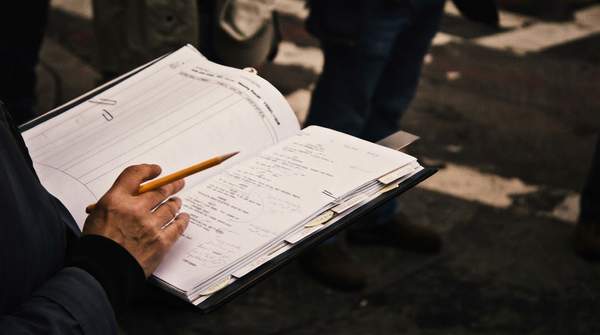

The varied approaches to pricing and feature sets across these tools highlight the fragmented nature of the filmmaking software market, compelling filmmakers to prioritize specific needs over a single, all-encompassing solution.

Unpacking StudioBinder's Conflicting Pricing Models

Plan/SourceStated PriceKey Features/Notes
StudioBinder (Capterra)$19 Per Feature, Per Month (starting price)Suggests a modular pricing structure
StudioBinder (Techjockey)$49.00 per month (starting price)General starting point for subscriptions
StudioBinder 'Indie' Plan (Scribd)$49 per monthAllows for ten projects
StudioBinder 'Indie' Plan (Techjockey)$99.00 per monthA 100% price difference for the same named tier

StudioBinder's wildly inconsistent pricing — the 'Indie' plan listed at both $49 and $99, and starting prices from $19 per feature to $49 per month — reveals deliberate cost obfuscation. The wildly inconsistent pricing makes informed budgeting nearly impossible for independent filmmakers. Creatives must verify current costs directly with the provider.

If pricing transparency does not improve, independent filmmakers will likely face increasing financial unpredictability, prioritizing free or one-time purchase tools over comprehensive subscription platforms.

What software do indie filmmakers use?

Independent filmmakers utilize a mix of free, one-time purchase, and subscription-based software. Many begin with free tools like Windows Photos or DaVinci Resolve for editing. For paid options, professional choices include Final Cut Pro (one-time purchase) or Adobe Premiere Pro (subscription), alongside production management platforms like StudioBinder.

What are the essential tools for filmmaking?

Essential filmmaking tools span pre-production, production, and post-production. This includes scriptwriting software (e.g. Celtx), production management for scheduling and call sheets (like StudioBinder), and video editing software for post-production. Sound design and color grading tools are also critical components for a polished final product.

What is the cheapest filmmaking software?

The cheapest filmmaking software options are typically free, such as Windows Photos, Quicktime for basic edits, or DaVinci Resolve for professional-grade features. While some professional tools like Final Cut Pro have a one-time purchase cost of $299.99, this can be more cost-effective over several years compared to ongoing monthly subscriptions that quickly accumulate.

Related Coverage

  • video and audio tools advance,
  • Future Independent Film Distribution Economic

Tags

FilmmakingIndie FilmSoftwareEditingProductionDirectorsBudgeting
VR

Victor Ren

Production Writer

As a Production Writer for Film and Pen, Victor Ren covers behind-the-scenes technology, emerging production techniques, and workflows. He focuses on demystifying complex technical processes to make the art of filmmaking accessible to all readers.

More from Production

Filmmaker using AI and virtual production tools on a futuristic set, symbolizing the new era of content creation.

AI & Virtual Production Herald New Era for Production in 2026

Canadian filmmaker Robert Gaudette, leveraging AI tools like Grok and Nano Banana, secured the top prize at the Reply AI Film Festival 2026 for his short film 'A Face Only A Mother Could Love'.

Victor Ren· Sep 8
A Smarter Way to Buy Tattoo Convention Tickets, Featuring Flower City Tattoo Convention

A Smarter Way to Buy Tattoo Convention Tickets, Featuring Flower City Tattoo Convention

Choosing the right tattoo convention is a key decision for any enthusiast or artist. With a booming global market projected to reach USD 9.25 Billion by 2034, the options can be overwhelming. According to a report from C…

Amelia Frost· Sep 7
Independent filmmakers using cutting-edge virtual production technology on a film set, demonstrating innovation in cinematic creation.

Top 5 Innovative Indie Film Production Techniques for 2026

The virtual production market, valued at USD 3.

Victor Ren· Sep 6
Diverse filmmaking teams, including women and non-binary individuals, celebrating receiving funding and support from the Women in Film & TV UK Short Film Fund.

Women in Film & TV UK fund awards two teams

Two UK filmmaking teams will receive a combined £100,000 in cash and kit rental from the new WFTV Short Film Fund, specifically targeting women and non-binary creatives.

Victor Ren· Sep 5

Trending Now

1
A Deep Dive Into Amir Saranga’s Multi-Platform Creator Ecosystem

A Deep Dive Into Amir Saranga’s Multi-Platform Creator Ecosystem

Production· 11 views
2
A screenwriter interacting with a holographic AI interface that visualizes a story web, symbolizing AI's role in revolutionizing screenwriting and story development.

AI Tools for Screenwriting Revolutionizing Story Development

Film Tv· 7 views
3
Cozy home theater setup with a large screen showcasing an abstract indie film, highlighting the intimate experience of watching independent cinema.

Essential Indie Film Streaming Services for 2026

Film Tv· 10 views
4
A lone figure stands on a rain-slicked city street at night, bathed in the warm glow of vintage streetlights, representing the visual artistry of independent films.

Visually Stunning Independent Films Cinematography of Last Decade

Film Tv· 5 views
5
Cinematic scene of a film set with integrated AI technology, showcasing advanced video editing and production workflow tools in action.

AI Video Workflow Tools for Film & TV

Production· 6 views
6
Diverse group of young independent filmmakers collaborating in a creative space, illuminated by a laptop screen, symbolizing innovation in storytelling.

Independent Filmmakers Redefining Storytelling in 2026

Film Tv· 5 views