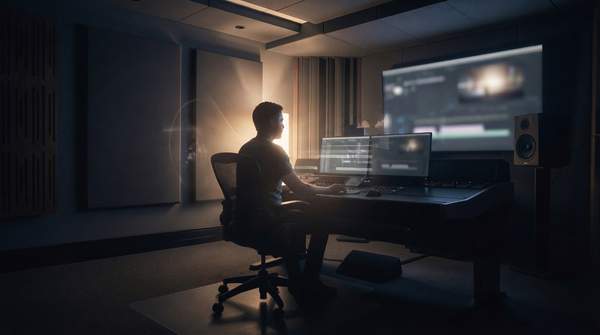
For just $295, independent filmmakers can own a desktop license for DaVinci Resolve Studio, a tool capable of editing 32K resolution footage at 120 frames per second, according to davinciresolveclub. This accessible price point directly challenges the industry's typical expensive recurring subscriptions, offering a powerful, comprehensive post-production suite for a single, upfront investment. Independent filmmakers are thus empowered to produce high-quality content without breaking the bank, though careful navigation of licensing options is essential to maximize value. DaVinci Resolve Studio's aggressive one-time price, confirmed by Blackmagic Design, forces competitors to justify their recurring costs against a fully-featured, high-performance alternative.
Unlocking Advanced Features for Less
- 100 — DaVinci Resolve 21 includes over 100 new motion graphic effects, according to Blackmagic Design.
- 50 — DaVinci Resolve 21 incorporates 50 new features, according to Blackmagic Design.
- 45 — DaVinci Resolve Studio bundles 45 extra Resolve FX, according to Blackmagic Design.
These continuous updates and extensive feature sets provide filmmakers access to a constantly evolving professional toolset through a single purchase, eliminating additional recurring costs for cutting-edge tools.
Professional Performance at Your Fingertips
1. DaVinci Resolve Studio
Best for: High-end independent filmmakers and small production studios requiring advanced capabilities.
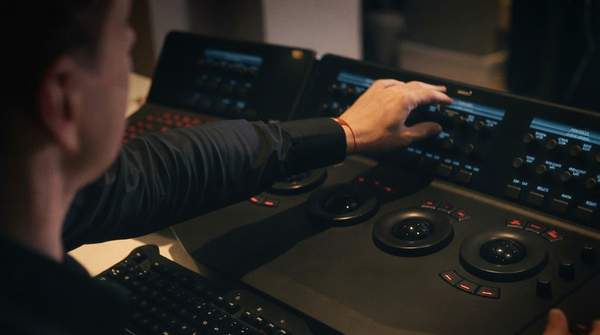
DaVinci Resolve Studio offers a complete post-production suite encompassing editing, color grading, visual effects, and audio post-production. It is designed for demanding workflows.
Strengths: All-in-one professional suite; powerful color grading; supports up to 120fps at 32K resolution; includes 45 extra Resolve FX; supports multiple GPUs for real-time playback of professional 10-bit formats; includes AI tools like IntelliSearch and CineFocus. | Limitations: Steeper learning curve than basic editors; requires robust hardware for optimal performance. | Price: $295 one-time purchase (desktop license); $30/month rental via Blackmagic Cloud; $299.99 (Mac App Store); $94.99 (iPad Studio in-app purchase).
2. Adobe Premiere Pro
Best for: Filmmakers integrated into the Adobe Creative Cloud ecosystem.
Adobe Premiere Pro is an industry-standard video editing software. It offers robust editing tools and integration with other Adobe applications.
Strengths: Industry standard; extensive third-party plugin support; strong integration with After Effects and Photoshop. | Limitations: Subscription-only model; can be costly long-term. | Price: US$69.99 per month, or annual plan billed monthly at US$19.99 for the first year (then US$39.99 per month), according to Adobe. Another option is US$22.99 per month.
3. DaVinci Resolve Free
Best for: Aspiring filmmakers, students, and budget-conscious creators.
The free version of DaVinci Resolve provides professional-grade editing, color, VFX, and audio capabilities without any cost. It serves as a powerful entry point into high-end post-production.
Strengths: Free to download and use; professional features; no watermark (unless Studio-only effects are used); edits up to 60 fps in resolutions as high as 3840 x 2160. | Limitations: Lacks some advanced Studio features like multiple GPU support and certain Resolve FX; resolution and frame rate limitations compared to Studio. | Price: Free.
4. Final Cut Pro X
Best for: Apple users seeking a powerful, intuitive editing experience.
Final Cut Pro X is a professional video editing application developed by Apple. It offers a streamlined interface optimized for macOS.
Strengths: Optimized for Apple hardware; intuitive interface; fast rendering. | Limitations: Mac-only; less robust color grading than DaVinci Resolve. | Price: $299 one-off payment, according to FilmSupply.
5. Vegas Pro
Best for: Windows users needing a comprehensive editing suite with flexible pricing.
Vegas Pro provides a full suite of video, audio, and disc authoring tools. It offers a straightforward workflow for various production needs.
Strengths: Non-linear editing; strong audio tools; flexible subscription options. | Limitations: Interface can feel dated to some users; less industry-standard than Premiere Pro or Resolve. | Price: $13.29-$19.99 per month, according to FilmSupply.
6. Movavi Video Editor
Best for: Independent filmmakers prioritizing speed, accessibility, and AI-powered features for quick turnarounds.
Movavi Video Editor focuses on ease of use with AI tools to automate common editing tasks. It aims to simplify the editing process for creators.
Strengths: User-friendly interface; one-click AI tools for auto subtitles, noise removal, and auto-tracked cropping; lower subscription cost, according to Drawstory Ai. | Limitations: Fewer professional-grade features than top-tier software; less control over advanced parameters. | Price: Subscription plan with a lower cost than most competitors, according to drawstory.ai.
7. Avid Media Composer
Best for: Large-scale productions and broadcast environments with massive project requirements.
Avid Media Composer is an industry standard for feature films and broadcast television. It excels in media management and collaborative workflows.
Strengths: Robust media management; strong for collaborative, large-scale projects; industry-standard for major productions. | Limitations: High complexity and cost; often considered overkill for most indie productions, according to drawstory.ai. | Price: No specific pricing provided in evidence.
Such high-performance capabilities were once exclusive to top-tier studios, but are now accessible to independent creators, enabling cinematic quality. This democratization of tools allows smaller teams to compete on a technical level with larger productions.
Navigating Your DaVinci Resolve Options
| Version | Key Features | Resolution/FPS | Pricing Model |
|---|---|---|---|
| DaVinci Resolve Free | Editing, Color, VFX, Audio | Up to 3840 x 2160 at 60 fps | Free |
| DaVinci Resolve Studio (Desktop) | All Free features + 45 extra Resolve FX, AI tools, multiple GPU support | Up to 32K at 120 fps | $295 one-time purchase |
| DaVinci Resolve Studio (Blackmagic Cloud) | All Studio features | Up to 32K at 120 fps | $30/month rental |
| DaVinci Resolve Studio (Mac App Store) | All Studio features | Up to 32K at 120 fps | $299.99 one-time purchase |
| DaVinci Resolve Studio (iPad) | Optimized for iPad workflows | Varies by device | $94.99 in-app purchase |
Understanding these distinct purchasing and licensing models is crucial for filmmakers to avoid unnecessary costs and ensure they acquire the precise features required for their workflow. Blackmagic Design's varied licensing options indicate a deliberate strategy to segment the market, catering to diverse user preferences from permanent ownership to mobile workflows and cloud collaboration, while maintaining the desktop Studio's disruptive price point.
If Blackmagic Design maintains its aggressive pricing and feature development, the post-production software market will likely see continued pressure on subscription models, potentially shifting industry standards towards more accessible, one-time purchase options for professional tools.
Frequently Asked Questions
What are the essential post-production tools for filmmakers?
Essential post-production tools for filmmakers include a robust editing suite, color grading software, visual effects compositing tools, and audio mixing capabilities. DaVinci Resolve Studio integrates all these functions into a single application, streamlining the workflow.
What software do independent filmmakers use for editing?
Independent filmmakers often use a range of software, with DaVinci Resolve Free and Studio being popular choices due to their feature set and pricing. Other options include Adobe Premiere Pro for its ecosystem integration and Final Cut Pro X for Apple users, which also offers a 90-day free trial.
What is the cheapest video editing software for professionals?
DaVinci Resolve Free is the cheapest professional-grade video editing software, offering extensive capabilities without any cost. For a one-time purchase, DaVinci Resolve Studio at $295 provides a comprehensive professional suite that is significantly more affordable in the long run than many subscription-based alternatives like Adobe Premiere Pro.